Add a source
Connect your media server or network share, or open a local file.
 VetreraFOR MAC
From your personal collection to your favorite libraries.
Bring it all together. Make watching feel simple.
3-day free trial · macOS 12 or later
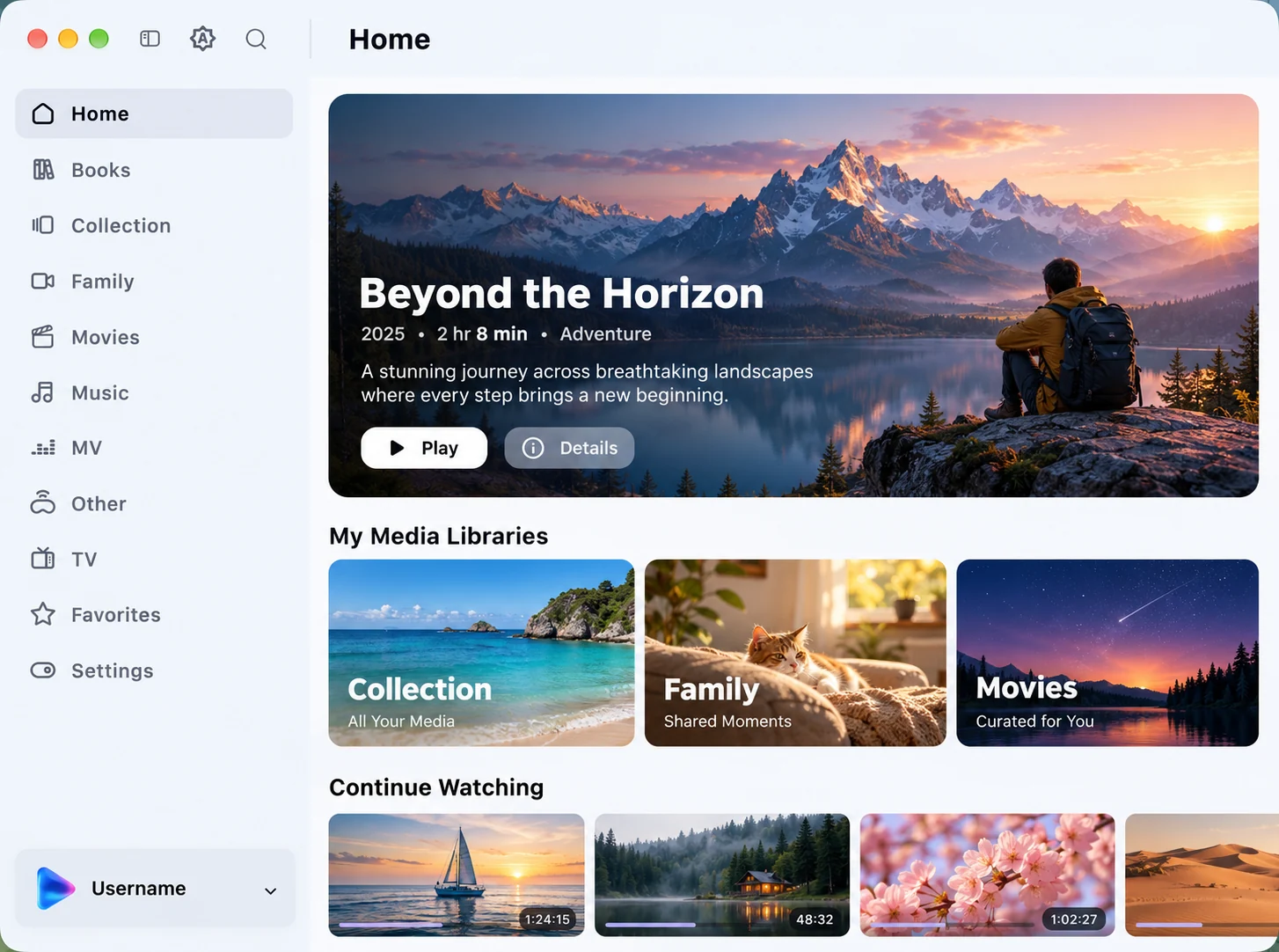
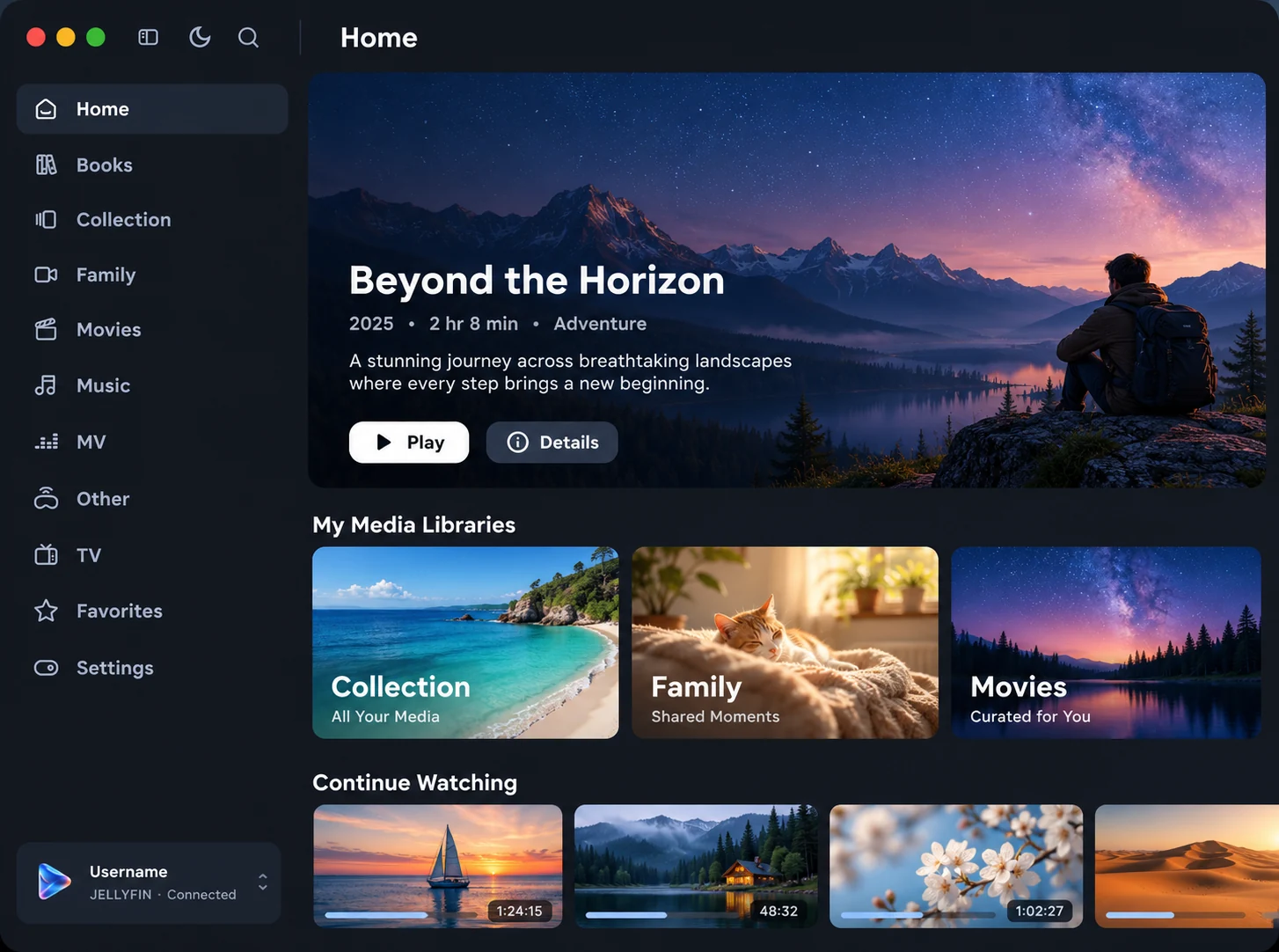
On your server. On your drive. All part of your movie night.
Connect your collection. Find a favorite. Enjoy the story.
Bring media servers, network shares, and local files into one familiar player.
Connection guide ↗Sign in with your account or Quick Connect.
Sign in with your account or Emby Connect.
Sign in with your Plex account.
Connect a remote directory with your credentials.
Browse network shares over SMB2 or SMB3.
Open a video or add a local folder.
Browse your library, open the details, or pick up where you left off. Available features depend on your source.
Choose your subtitles, select an audio track, and settle into the next episode.
Interactive website concept · not a live app
A closer look at the controls that make watching feel natural.
Choose embedded, external, or online subtitles found by your Jellyfin server. Adjust size, position, and background for comfortable reading. Styled ASS/SSA and Blu-ray PGS subtitles included.
Choose the audio tracks provided by your video. Quality conversion requires a server with transcoding support.
Depends on your server
Resume your progress and move between episodes. Progress reporting depends on the connected source.
Adjust buffering and prefetching for your connection. Playback buffering is not an offline download.
Three simple steps to your next movie night.
Connect your media server or network share, or open a local file.
Explore available libraries and open a film or episode.
Set your subtitles and audio, then enjoy the story.
Then choose the plan that fits. Every plan unlocks all of Vetrera.
Launch price
$6.99$9.99$9.99/ year
Includes a 3-day free trial
≈ $0.58$0.83 / month
Launch price
$1.49$1.99$1.99/ month
Includes a 3-day free trial
Cancel anytime in the App Store
Launch price
$29.99$39.99$39.99one-time
Pay once. Lifetime Pro unlock, no subscription.
The free trial applies to subscriptions and is available once per Apple Account. When the trial ends, the subscription starts and is charged to your Apple Account. Subscriptions renew automatically unless cancelled at least 24 hours before the end of the current period; manage or cancel them in your App Store account settings. Terms of Use · Privacy Policy
About playback, connections, and your media.
Visit support ↗No. Vetrera is a media player. Connect your own media server or network storage, or open local videos you own or are authorized to access.
Requires macOS 12 or later. Plays MP4, MOV, M4V, HLS, and TS directly, and common MKV files (H.264/HEVC with AAC, AC-3, E-AC-3, or PCM audio) without re-encoding the picture. Compatibility guide ↗
Vetrera plays video with macOS’s built-in decoders and has no software decoder of its own. Formats it can’t play this way, such as DTS or TrueHD audio and AV1 or VP9 video in MKV, are converted by a media server with transcoding. Local files and network shares can’t be transcoded, so Vetrera shows a clear message instead.
Vetrera starts with a 3-day free trial. After that, keep using it with a monthly or annual subscription, or buy Lifetime once. Media servers and third-party services may have their own fees and terms.
Open the App Store on your Mac, click your name, then Account Settings › Subscriptions. Cancel at least 24 hours before the current period ends to avoid the next renewal. Deleting Vetrera does not cancel a subscription.
Purchases are processed by Apple, so refund requests go to Apple under its policies: reportaproblem.apple.com.
Sign in to the App Store with the same Apple Account, open Vetrera, and choose Restore purchases. Purchases are tied to your Apple Account and are not shared through Family Sharing.
A one-time purchase that permanently unlocks Pro for your Apple Account in Vetrera for Mac, without a subscription. It is a lifetime unlock of Pro, not a promise of updates forever. Vetrera is currently available for Mac only.
Launch prices are available for a limited time after release. If you subscribe at a launch price, your subscription keeps renewing at that price as long as it continues without interruption. The Lifetime price rises to the regular price when the launch period ends.
The playback cache is for buffering and prefetching, not offline downloads. Remote media still requires a connection to its source.
SRT, WebVTT, ASS/SSA with styles and embedded fonts, and PGS/SUP subtitles, whether embedded, in the same folder, or found online by your Jellyfin server. DVD and DVB image subtitles need server burn-in.
Vetrera for Mac · Your media. One player.
Downloads open at launch · macOS 12 or later